
Last updated: September 2026
If you’ve got a Balboa-controlled hot tub and you’re not sure what all the heating modes do, you’re not alone. I get asked about this constantly, and it matters. Get it wrong and you’re either burning electricity you don’t need to, or you jump in expecting 38°C (100°F) and get a lukewarm surprise.
Let me break it all down.
The short version
- Newer BP systems (TP200 to TP700, spaTouch) have Ready and Rest. Ready-in-Rest is a temporary sub-mode.
- Older VS/GS systems (VL-series panels) have Standard, Economy and Sleep.
- Ready or Standard heats around the clock to keep the set temperature. Rest or Economy heats only during filter cycles.
- Sleep only heats to about 20°F (10°C) below the set temperature, and only during filter cycles.
- Water stuck cold? Check for EC, ECON, SL or SLP on the display before you blame the heater.
Why it matters more than you think
Your heat mode is the biggest lever you have over running costs. Leaving the tub in Ready mode rather than Rest through a week you’re not using it can easily be the difference between about £5 ($8) and £15 ($20) in electricity, and that adds up over a year. See hot tub energy efficiency for other savings.
There’s a reliability angle too. People have contacted me convinced their heater was broken, when they’d accidentally bumped the tub into Economy or Sleep mode. Knowing what these modes look like on screen, and how to get out of them, saves a lot of stress. If the tub really isn’t heating, work through hot tub not heating.
The newer BP system: Ready, Rest and Ready-in-Rest
If your tub has a TP-series topside (TP200, TP400, TP500, TP600, TP700 and so on) or a spaTouch panel, it’s on Balboa’s BP control system. These panels use a different set of modes to the older VS/GS systems, but the principles are the same. See which Balboa topside control do I need if you’re not sure what you have.
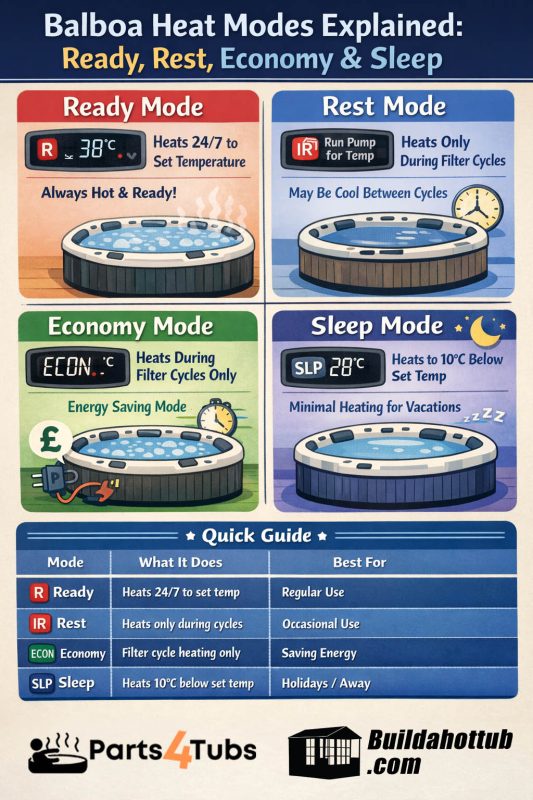
Ready mode (R)
Ready mode is your everyday setting if you use the tub regularly. The control keeps the water within about 1°F of your set temperature around the clock. It does this by periodically running the pump at low speed to check the temperature (this is called “polling”) and firing the heater when it drops.
Think of a central heating thermostat: always watching, always ready. You press Jets, you get hot water.
When to use it: winter, or any time you’re in the tub more than two or three times a week.
Rest mode (IR)
Rest mode only heats the water during your programmed filter cycles. Outside those cycles the heater does nothing, and the tub sits at whatever temperature it drifts to.
This is where people get caught out. If your filter cycles run for two hours in the morning and two hours in the evening and you jump in at 3pm, the water might be 10°C off your set temperature. The display may show “RUN PUMP FOR TEMP”, which is the panel’s way of saying the temperature reading isn’t current and it’s trying to catch up.
When to use it: if you only use the tub once or twice a week, or you’re away for a few days but want the system ticking over.
Important: in cold UK winters I wouldn’t run Rest mode for long without thinking about freeze protection. The system will still activate freeze protection automatically if the sensors detect low enough temperatures, but with very short filter cycles the water can get cold.
Ready-in-Rest mode (RR)
This is a clever one, and you can’t select it directly from the menu. It’s a sub-mode that switches on automatically when you’re in Rest mode and press the Jets 1 button.
The control assumes you want to use the tub, so it switches temporarily to Ready mode for one hour and heats the water to your set temperature. After that hour it drops back to Rest without you doing anything.
In practice, if you’re in Rest mode to save energy but fancy a soak, press Jets 1 about an hour before you want to get in. The tub heats itself, then goes back to Rest.
The older VS/GS systems: Standard, Economy and Sleep
If your topside is a VL-series panel (VL200, VL260, VL400, VL404, VL600S, VL800S and so on), you’re on an older Balboa VS or GS system. These use three modes.
Standard mode (ST)
This is the equivalent of Ready mode on BP systems. The tub holds your set temperature 24 hours a day, polls the water every 30 minutes or so, heats if needed and is always ready. It’s the factory default.
When to use it: whenever you use the tub regularly, and definitely in winter.
Economy mode (EC / ECN / ECON)
Economy is the equivalent of Rest mode. Heating only happens during filter cycles. Between them, the tub does nothing and the water cools.
Despite the name, you won’t save a huge amount unless your filter cycles also run in off-peak tariff hours. If the filter is only set to F1 (1 hour every 12 hours) and you’re in Economy in December, the tub will barely heat at all. Most people with this issue have no idea Economy is switched on. They just know the water is cold.
On the display, when the water temperature isn’t current you’ll see “EC” or “ECON” flashing instead of a temperature. When the pump runs and takes a reading, it alternates between the mode name and the temperature.
When to use it: spring and autumn if you’re a weekend user, and in summer if the tub is well insulated.
Sleep mode (SL / SLP)
Sleep is the most aggressive energy-saving setting. Like Economy it only heats during filter cycles, but it only heats to within 20°F (about 10°C) of your set temperature, not all the way.
So with a set temperature of 38°C, Sleep will only heat to around 28°C. It’s for when you’re going on holiday and want the tub to stay alive but use minimal energy, not to come back to a frozen or stagnant tub.
This is the mode most likely to cause confusion. If someone hits the wrong button sequence on a VL-series panel, the tub can end up in Sleep and won’t heat properly whatever temperature you set. If the water is stuck about 10°C below where it should be, check for Sleep first.
How to change the mode, by topside
The button combination depends on which control you have.
BP system (TP200, TP400, TP500, TP600, TP700, spaTouch)
Go through the menu: Settings, then Heat, then Heat Mode, and toggle between Ready and Rest.
On the TP600 and TP700 you can also use a button sequence: press Temperature Up or Down, wait for the temperature to flash, then press Lights. Keep pressing Lights to cycle through FLIP, FLTR and MODE. At MODE, press Temp Up or Down to toggle between SET READY and SET REST. Press Lights to confirm.
Press Temp, then straight away press Light. Each press of Light cycles Standard, Economy, Sleep. The display confirms which mode you’re setting.
Press Warm or Cool, then press Mode/Prog. Each press of Mode cycles the options.
GL system (ML900, ML700, ML550, ML551)
Press Mode, then press Cool to cycle the options, then press Mode again to confirm.
Quick reference
| Mode (BP) | Mode (VS/GS) | What it does | Best for |
|---|---|---|---|
| Ready | Standard | Heats 24/7 to the set temperature | Regular use, winter |
| Rest | Economy | Heats only during filter cycles | Occasional use, summer |
| Ready-in-Rest | None | Rest mode plus a 1 hour heat burst when Jets is pressed | Lazy weekends |
| None | Sleep | Heats to about 10°C below set temperature, filter cycles only | Holiday, away |
My honest take
For most UK owners, Ready in winter and Rest in summer is the right approach. The running-cost difference is real, but Ready in winter is worth it. You don’t want to wait two hours for the tub to heat when it’s 2°C outside. A well-fitting cover and good insulation matter more than any mode. See the guide to hot tub covers.
If you’re going away, switch to Rest on a BP system or Sleep on a VS/GS system. Don’t turn the tub off completely. In my experience the energy needed to reheat from cold is usually more than keeping it ticking over in a low mode. Winter breaks need more care, so read winterizing your hot tub.
And if the display shows EC, ECON, SL or SLP and you’re not sure why, now you know what to look for and how to get out of it. If you still have a problem, see do I need to replace my topside control and the spa pack guide.
Parts for Balboa systems are on parts4tubs.co.uk (UK) and parts4tubs.com (USA).
FAQs
What is the difference between Ready and Rest mode?
Ready keeps the water at your set temperature around the clock. Rest only heats during the programmed filter cycles, so the tub may be cool outside those times.
What is Ready-in-Rest mode?
A temporary sub-mode. In Rest mode, pressing Jets 1 switches to Ready for one hour to heat the water, then the tub returns to Rest.
Why is my hot tub not getting hot?
Check the display for EC, ECON, SL or SLP. Economy and Sleep only heat during filter cycles, and Sleep only heats to about 10°C below the set temperature.
Is it cheaper to leave a hot tub on or turn it off?
Generally cheaper to leave it in a low mode such as Rest or Sleep than to switch off and reheat from cold, though it depends on the weather, insulation and how often you use it.
How do I change the heat mode on a Balboa panel?
It depends on the panel. BP panels use the Settings menu (or the temperature and Lights button sequence on a TP600 or TP700), and older VL panels use Temp then Light or Mode.
Got a question about your own setup? Drop it in the comments below. I read them all.
Cheers,
Andi
You can also find me on my socials;






looking for hot tub & pool parts?
I have everything you need....
If you are looking for Hot Tub & Swimming Pool Parts, either for your DIY Hot Tub, plunge pool or swim spa build, or you are looking for parts to repair your pool or hot tub - then check out my USA & UK stores below.
I carry 30K+ product lines across the stores

Can I Help You?
If I can help you in any way I would love to hear from you. You can get in touch using the form below.
Thanks - Andi
 Hi, Andi here. I own Buildahottub.com and also write all of the articles and info pages on the site. Some years back now, I built my own hot tub but struggled to find the information I needed. So, once my tub was complete, I started this website to help others in their own pursuit of hot tub and plunge pools DIY building information.
Fast forward to 2025, I've helped over 1400+ DIY customers just like you all over the world build hot tubs and pools. Have a good look around the site, there are lots of resources here. Please do get in touch if I can help you. - Cheers, Andi
Hot Tub Seats, Benches and Loungers: How to Build Them Comfortable
Hot tub seats are what you touch every time you get in. Here are the [...]
Nov
The 8ft x 8ft Hot Tub: Why It’s the Most Popular DIY Size
The 8x8 hot tub is the size I sell more plans for than any other. [...]
Nov
How Big Should Your Hot Tub Be? Sizes, Seating and Water Volume Explained
How big should your hot tub be? A practical guide to hot tub sizes for [...]
Nov
Infinity Hot Tub Cost: What the Overflow Edge Really Adds
What does an infinity edge really add to a DIY hot tub? A 2026 breakdown [...]
Oct
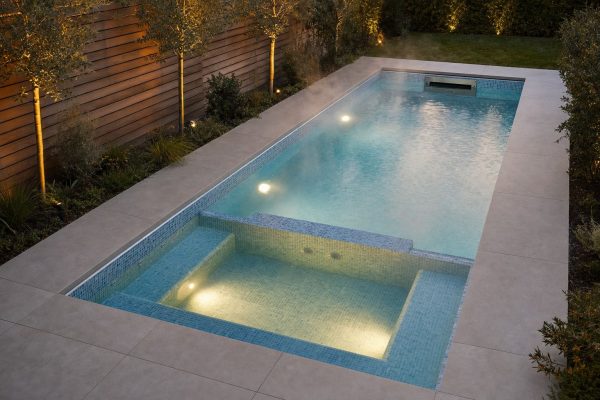
Swim Spa Sizes: How Long and Deep Does a DIY Swim Spa Need to Be?
How big should a DIY swim spa be? The minimum length for a swim jet, [...]
Oct
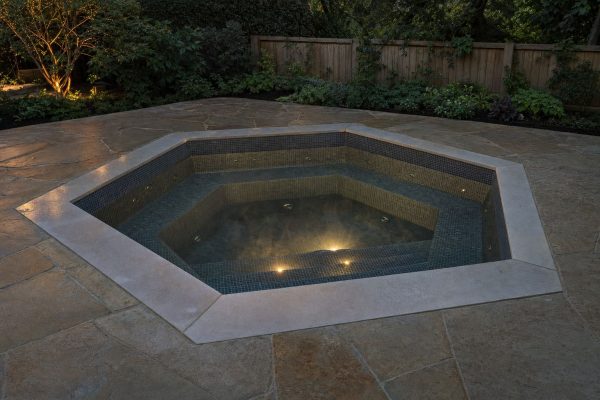
Hexagon, Round or Rectangle? Choosing a Shape for Your DIY Hot Tub
Square, round, hexagon or octagon? How each hot tub shape affects seating, water volume, the [...]
Oct
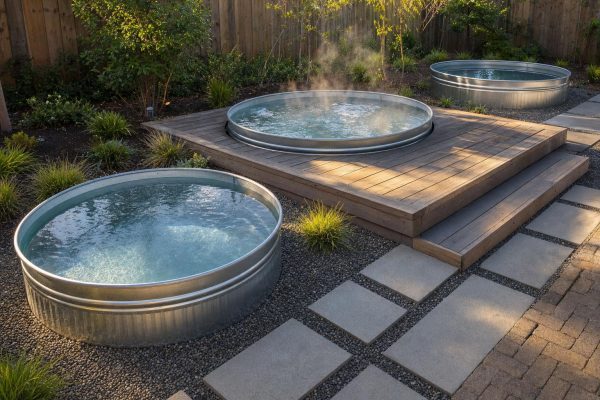
Stock Tank Sizes: Which Tank Makes the Best Hot Tub or Plunge Pool?
Stock tank sizes explained: 6ft, 8ft and 10ft round, oval and poly tanks, how much [...]
Oct
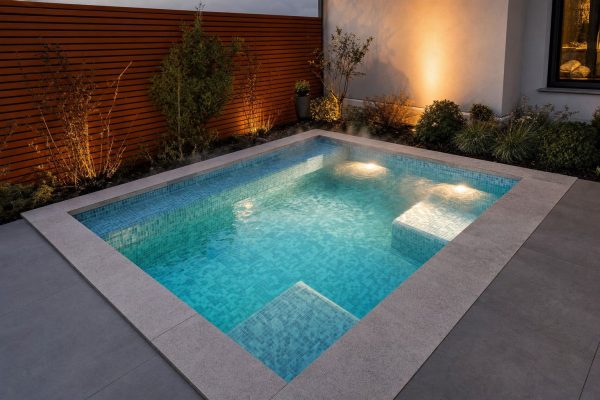
Cocktail Pool Cost in 2026: What a DIY Build Really Costs
What does a cocktail pool really cost to build yourself in 2026? A line-by-line budget [...]
Oct